Upload a photo
Any JPG, PNG or WEBP. The editor opens on the image at full width.
Paint over whatever you want gone — a bin, a cable, a sign — and the tool rebuilds what should be behind it.
Start Creating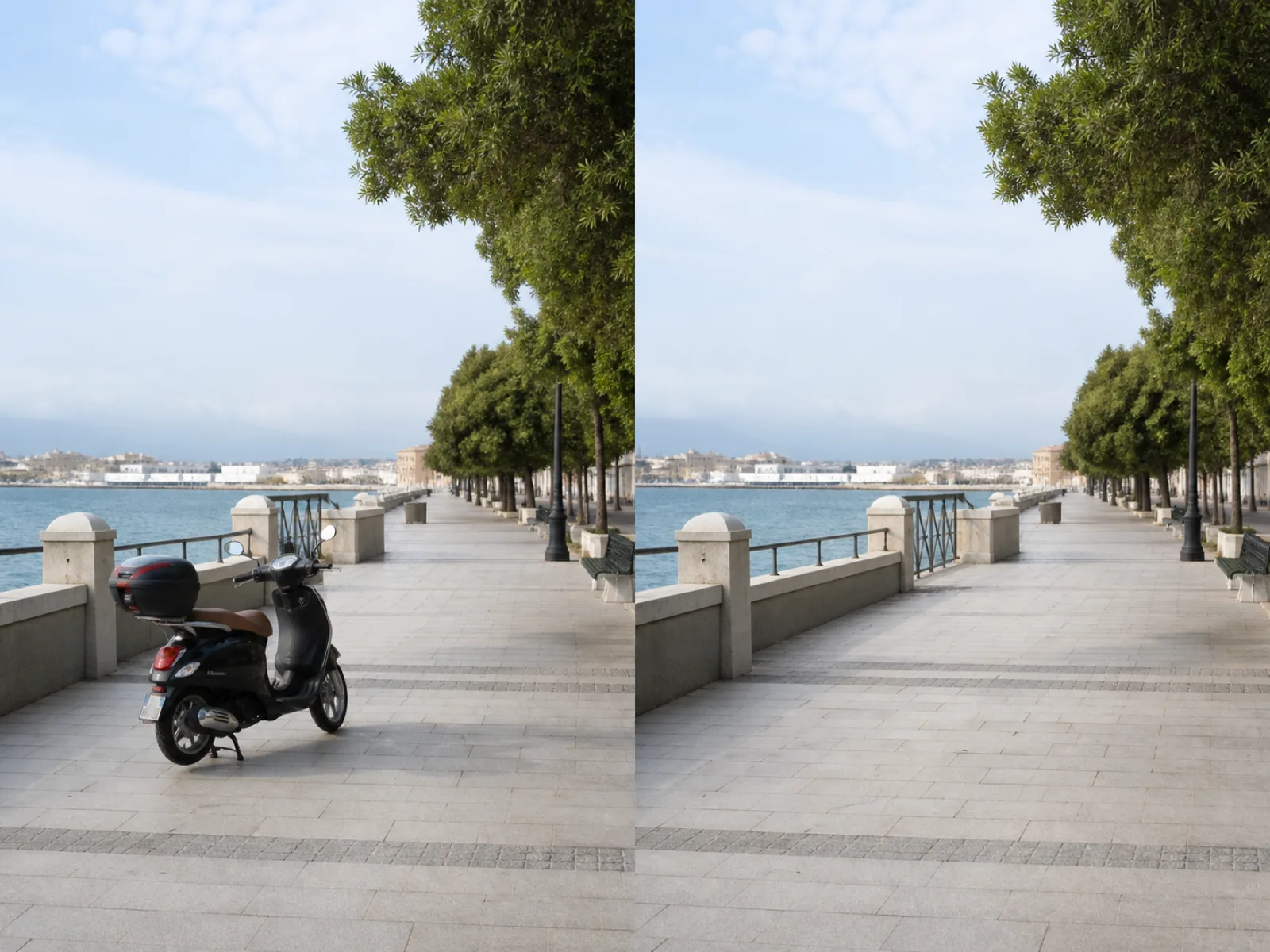
Removing something from a photo is not erasing — it is repainting. The tool takes the area you marked, throws away those pixels, and rebuilds them from the surrounding context: the wall continues, the grass keeps its texture, the horizon line stays straight.
That is also where the limits are. A bin against a plain wall disappears completely. Something large in front of a complex scene leaves the model guessing about structure it never saw, and the patch will look invented if you push it.
Any JPG, PNG or WEBP. The editor opens on the image at full width.
Size the brush to the object and cover it, plus a few pixels of its shadow and edge.
Look at the patch edges. Anything left over can be painted again in a second pass.
Follow the outline of an awkward shape instead of dragging a box around it.
The area is repainted from the surrounding scene, so walls and skies continue instead of smearing.
Trim the selection with the unmark tool or step back through the last strokes.
Run again on what is left; each pass starts from the previous result.
Take the cables, bins and stray furniture out before a listing goes up.
Remove the stand, the tape or the reflection of the phone that shot it.
Clear the distraction that was in frame when you only had one chance at the shot.
Paint over it with the brush. Set the brush wider than the object so the edge and its shadow are inside the marked area — a shadow left behind is the most common giveaway.
Small and mid-size objects on a readable background come out clean. Something that covers a large part of the frame, or hides structure like a face or lettering, leaves the model inventing content.
Usually the selection was too tight or the background is complex. Paint a slightly wider area and run again — each pass works from the previous result.
No. Only the marked pixels are rebuilt; everything outside the selection is left exactly as uploaded.
Yes. Paint over all of them before running, or handle them one at a time if you want to check each patch.
Upload an image, paint over what you want gone and rebuild the background.