Upload a photo
Phone shots, scans and re-saved social exports all work as sources.
One pass that lifts sharpness, color and detail together, for photos that come out flat straight from the phone.
Start Creating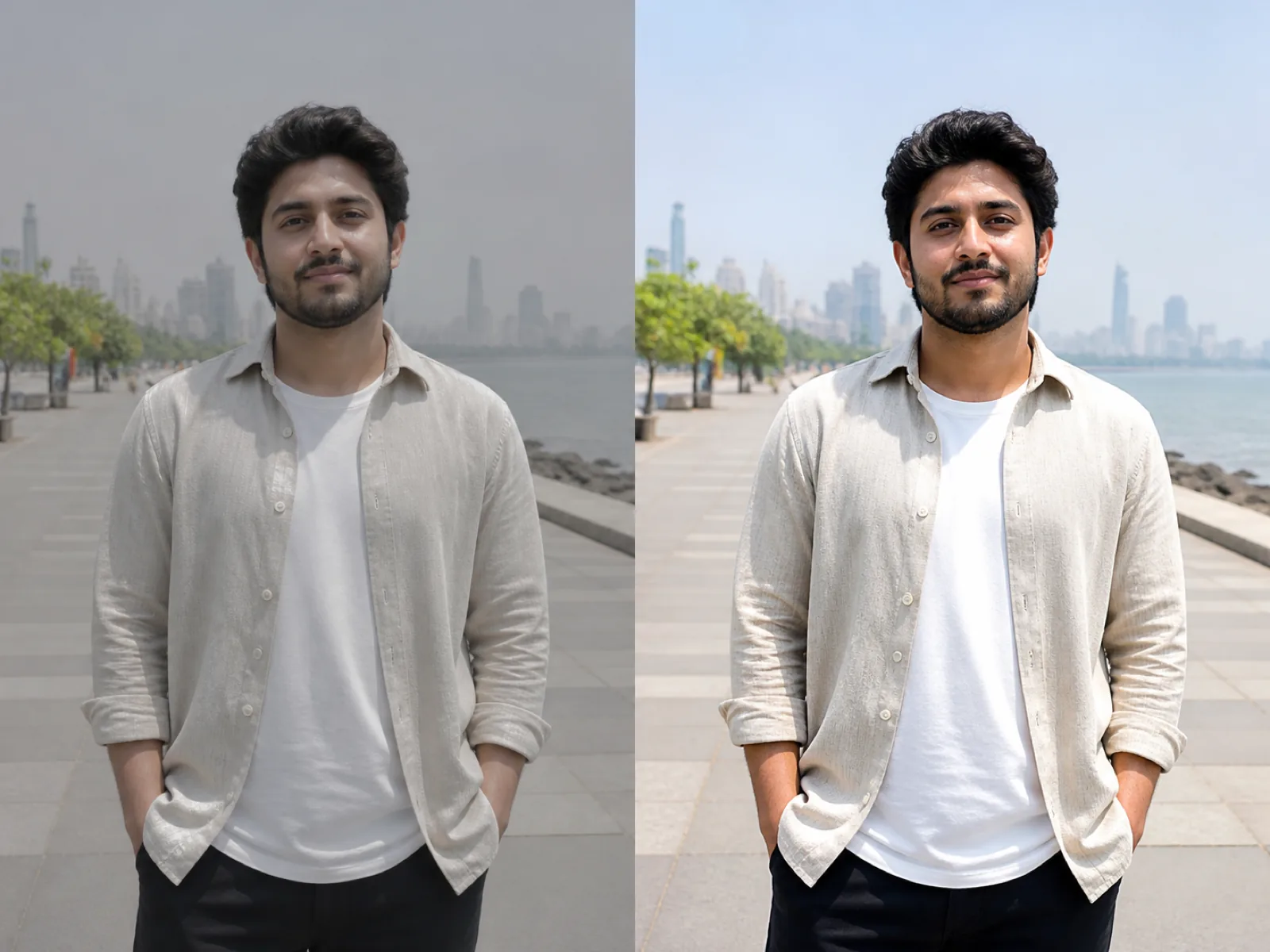
An enhancer runs the passes you would otherwise do by hand: it rebuilds fine detail, sharpens edges without ringing, and corrects color and contrast that came out flat. The preset decides how those three are weighted, because a portrait and a product shot want very different amounts of each.
If all you need is a bigger file, use the upscaler instead — it leaves color and contrast alone. Reach for the enhancer when the photo is the right size but simply looks dull, soft or muddy.
Phone shots, scans and re-saved social exports all work as sources.
The preset sets how much sharpening and color the subject can take before it looks processed.
Slide down when skin or sky starts looking artificial, then download.
Portrait, product, landscape and scanned photo each weight detail, sharpness and color differently.
One control from a light cleanup to a heavy rebuild, so you can back off when it overcooks.
Enhance and upscale in a single pass instead of running two tools in sequence.
Noise is reduced before sharpening, so grain is not amplified into speckle.
Small sensors and heavy compression leave detail flat. This puts most of it back.
Make a set shot on different days look like it came from the same session.
Dim rooms and stage light produce soft, muddy files that clean up well.
The upscaler only changes size. The enhancer also sharpens and corrects color and contrast, and can enlarge at the same time if you ask it to.
The strength is too high for a portrait. Drop it to around 30 to 40 percent and use the portrait preset, which protects skin texture instead of smoothing it.
Set color boost to off or soft when color accuracy matters. Vivid is for social posts, not for catalog images buyers will compare against the real item.
Yes. Set the output size to 2× or 4× and both passes run together, which is faster and cleaner than enhancing an already upscaled file.
It helps with mild softness, but for screenshots and lettering the upscaler with the text image type gives cleaner edges.
Upload an image, pick a preset and download a sharper, cleaner version.