Upload the photo
A shot where the people you want to keep are clearly in the foreground works best.
Clear the strangers out of the background and keep the people you actually came with.
Start Creating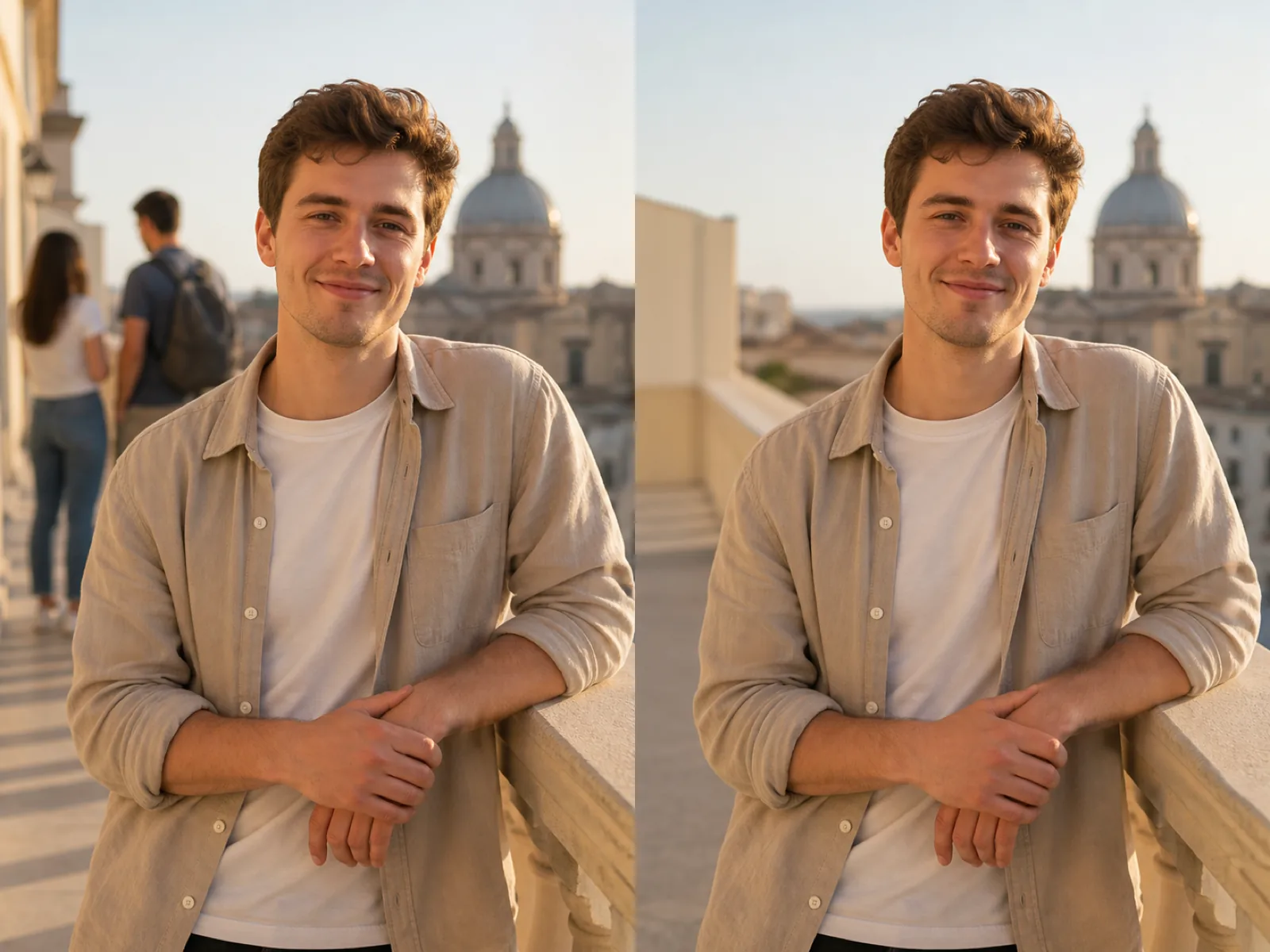
This page is the object remover with one extra step in front: a detector finds the people in the frame and boxes them, so you are not tracing a dozen strangers by hand. Every box is a suggestion — tap one off if it is someone you want to keep, and paint in anyone the detector missed.
What comes after is identical to painting them out yourself: the marked areas are rebuilt from the surrounding scene. Someone standing against a wall or open ground disappears cleanly; someone standing in a dense crowd overlaps too many other people to come out well.
A shot where the people you want to keep are clearly in the foreground works best.
Tap off the boxes over your own group; the rest stay marked for removal.
Add anyone the detector missed, then run and check the ground behind them.
One tap boxes the figures in the frame instead of tracing each one by hand.
Every box is toggleable, so your own group stays in the photo.
The foreground subject is fenced off from the rebuild so an edge never bleeds into them.
Partly hidden or distant figures that detection misses can still be painted out.
The place you queued for, without the queue standing in it.
Empty the room or the street view of people who happened to walk through.
Keep the portrait and lose whoever was walking behind it.
Only if you leave their box selected. Detection marks everyone it finds; tap the boxes over your own group to deselect them before running.
Sparse figures come out cleanly. In a dense crowd people overlap each other, so the rebuild has to invent bodies and ground it never saw — expect to work in passes and accept some limits.
Detection often misses partly hidden figures. Paint over what is visible; the part behind your subject was never in the photo anyway.
Undo restores the selection before a run, and each run keeps the earlier record in the history panel. To start over completely, upload the original file again.
No. With subject protection on, the foreground person is excluded from the rebuild entirely, so their outline and skin stay as shot.
Upload the photo, deselect your own group and remove the rest.