Upload a photo
A portrait or product shot where the subject is fully visible.
Keep the subject and replace everything behind it — pick a ready-made scene or describe the one you want.
Start Creating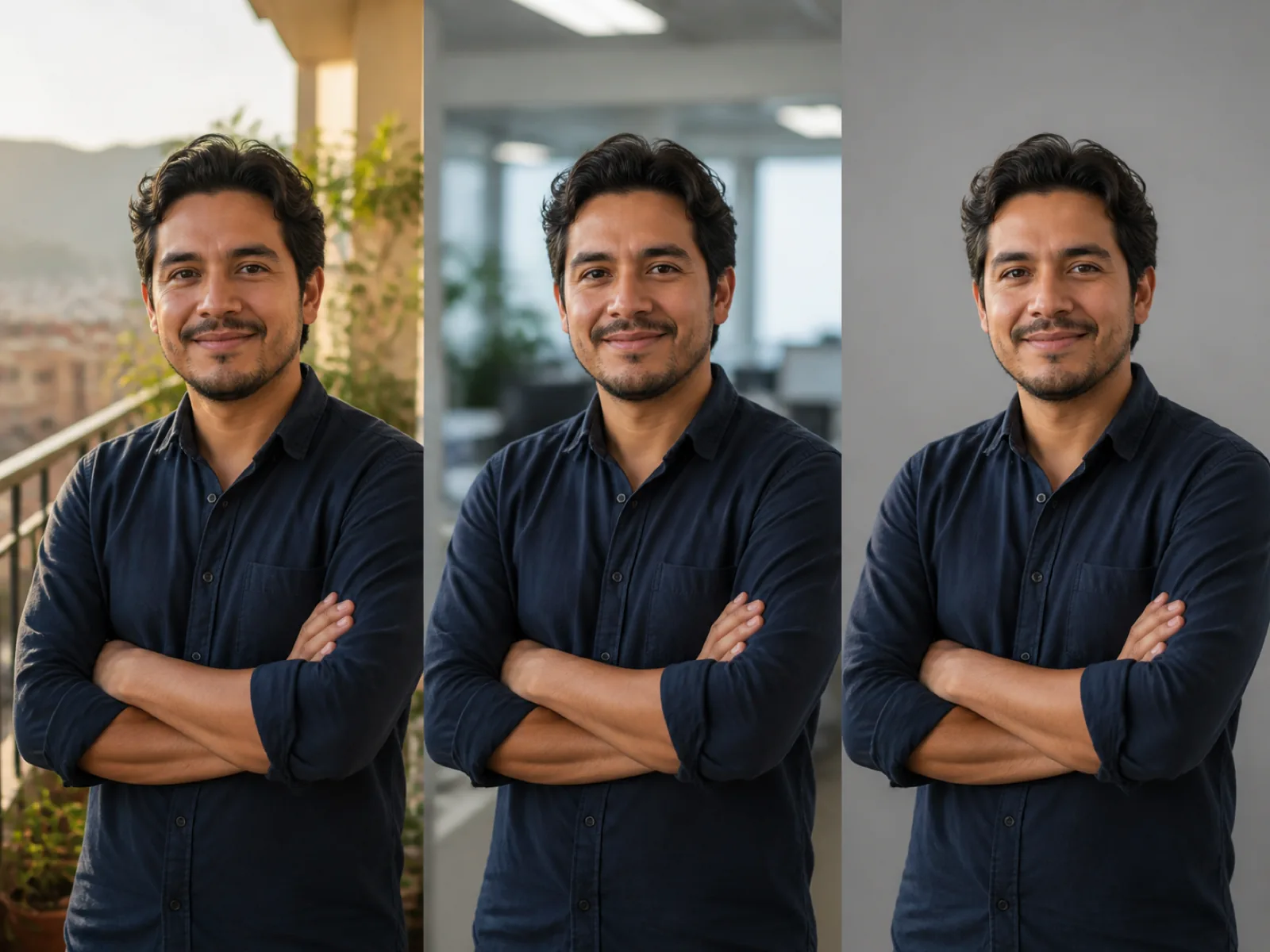
The tool separates the subject from the current background, then puts something else behind it. A preset drops the subject onto a prepared scene; a description sends the scene to the image model so you get a background that does not exist as stock.
Lighting match is the part that decides whether the result is believable. With it on, the subject edge and color temperature are adjusted toward the new scene so the person does not look pasted onto a postcard.
A portrait or product shot where the subject is fully visible.
Tap a preset for a fast, predictable result, or write what you want behind the subject.
Generate a few variants, keep the one where the light matches, and download it.
Studio, office, cafe, beach, garden and street backgrounds that need no writing.
Write the scene you want and the model builds it behind your subject.
Edge tone and color temperature are pulled toward the new scene so the composite holds together.
Export the same shot as a portrait, square or wide frame for different placements.
Give a remote team one shared backdrop even though everyone shot at home.
Move a plain product photo into a kitchen, desk or outdoor setting.
Replace a crowded or cluttered background without reshooting the trip.
No. Pick one of the presets and the tool composites your subject onto that scene. The text field is only for backgrounds the presets do not cover.
The subject is kept from your photo. With lighting match on, the edge and overall color temperature are adjusted so it sits in the new scene; features and clothing are not redrawn.
Usually the light directions disagree. Turn on lighting match, and pick a background lit from the same side as the original photo — a subject lit from the left against a scene lit from the right always reads as fake.
A preset background is a composite job and is cheaper than a described one, which calls the image model. The current rates are on the pricing page.
The result follows the ratio you select and is exported at the standard output size for that ratio, independent of the resolution you uploaded.
Upload an image, pick a scene or describe one, and download the result.